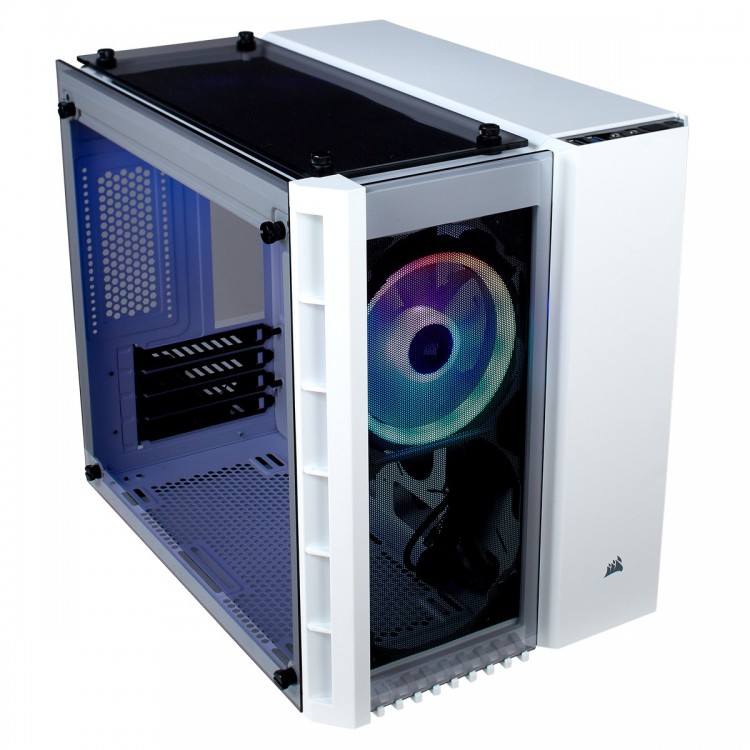
The Spectacular White Aesthetic: Corsair Crystal 280X RGB
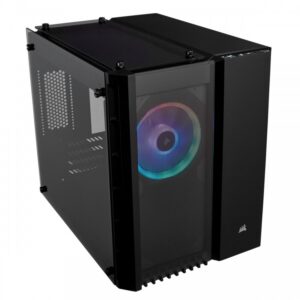
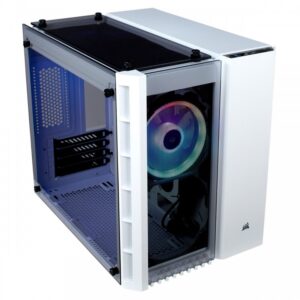
The color white has become the gold standard for enthusiasts looking to move away from the “standard black box” PC design. The Corsair Crystal 280X RGB in white takes this trend to its peak. By combining a pristine white exterior with the clarity of three tempered glass panels, this case reflects internal light spectacularly, making every component look more vibrant. It isn’t just about color, though; the dual-chamber architecture ensures that your “show” components are separated from the clutter, resulting in a build that looks professional and clean from every angle.
Dual-Chamber Design: Form and Function
The primary innovation of the Corsair Crystal 280X RGB is its bisectional layout.
-
The Main Chamber: This section is dedicated entirely to your motherboard, CPU, and GPU. Because the power supply and drives are missing, there is nothing to block the spectacular view or the path of cool air.
-
The Hidden Chamber: Behind the motherboard tray lies a secondary compartment for your ATX power supply and storage drives. This allows for effortless cable management, as you can simply “tuck and hide” extra wires away from the glass.
Unmatched Visual Clarity
With tempered glass on the front, top, and side, the Corsair Crystal 280X RGB offers a panoramic view of your craftsmanship. The white version is particularly effective at catching and diffusing RGB light, creating a soft, ambient glow that clear or black cases often struggle to replicate. This makes it a spectacular pairing for other white components, such as Corsair’s Vengeance RGB RAM or white-shrouded graphics cards.
Elite RGB Control via iCUE
Lighting is the soul of the Corsair Crystal 280X RGB. Corsair has pre-installed two of their premium LL120 RGB fans, which feature 32 individually addressable LEDs.
-
Lighting Node PRO: This included controller acts as the brain of your lighting setup.
-
iCUE Software: Using Corsair’s industry-leading software, you can create spectacular lighting profiles—from “Rain” and “Rainbow Wave” to custom temperature-reactive colors—that synchronize across all your compatible Corsair peripherals.
Massive Cooling in a Small Form Factor
Don’t let the compact cube shape fool you; the Corsair Crystal 280X RGB is a cooling powerhouse. It features a “Direct Airflow Path” design that pulls air from the front and bottom, exhausting it through the top and rear.
-
Fan Capacity: You can install up to six 120mm fans throughout the chassis.
-
Radiator Support: For liquid cooling, the case is spectacularly versatile, supporting up to 280mm radiators in the top, bottom, and front. This makes it one of the few Micro-ATX cases capable of housing dual large radiators for a custom loop or high-end AIO cooling.
Generous Storage and Compatibility
Storage is often a pain point in SFF builds, but the Corsair Crystal 280X RGB offers mid-tower levels of capacity. The hidden chamber features a dedicated drive cage that supports two 3.5″ HDDs and three 2.5″ SSDs.
-
GPU Space: It accommodates graphics cards up to 300mm, covering most high-performance dual-fan and many triple-fan cards.
-
CPU Cooling: While optimized for liquid cooling, it still supports air coolers up to 150mm in height.
Building Ease for Every Level
Building in the Corsair Crystal 280X RGB is a joy for both novices and veterans. The spacious rear chamber means you don’t have to be a cable-management wizard to achieve a spectacular result. Rubber grommets and well-placed cutouts allow you to route only the necessary cables into the main chamber, keeping the focus on your motherboard and GPU.
Final Verdict
The Corsair Crystal 280X RGB in White is more than just a case; it’s a canvas for your creativity. It provides the perfect balance of compact size and massive potential, all wrapped in a spectacular three-panel glass design. If you want a PC that looks like a modern art piece while delivering flagship thermal performance, the Corsair Crystal 280X RGB is the ultimate white Micro-ATX chassis on the market today.
For full compatibility lists and build guides, visit the official Corsair product page.